



Converting a 16-bit elevation model to 8-bit “for visualization” and then analyzing it is how you destroy your data without realizing it.
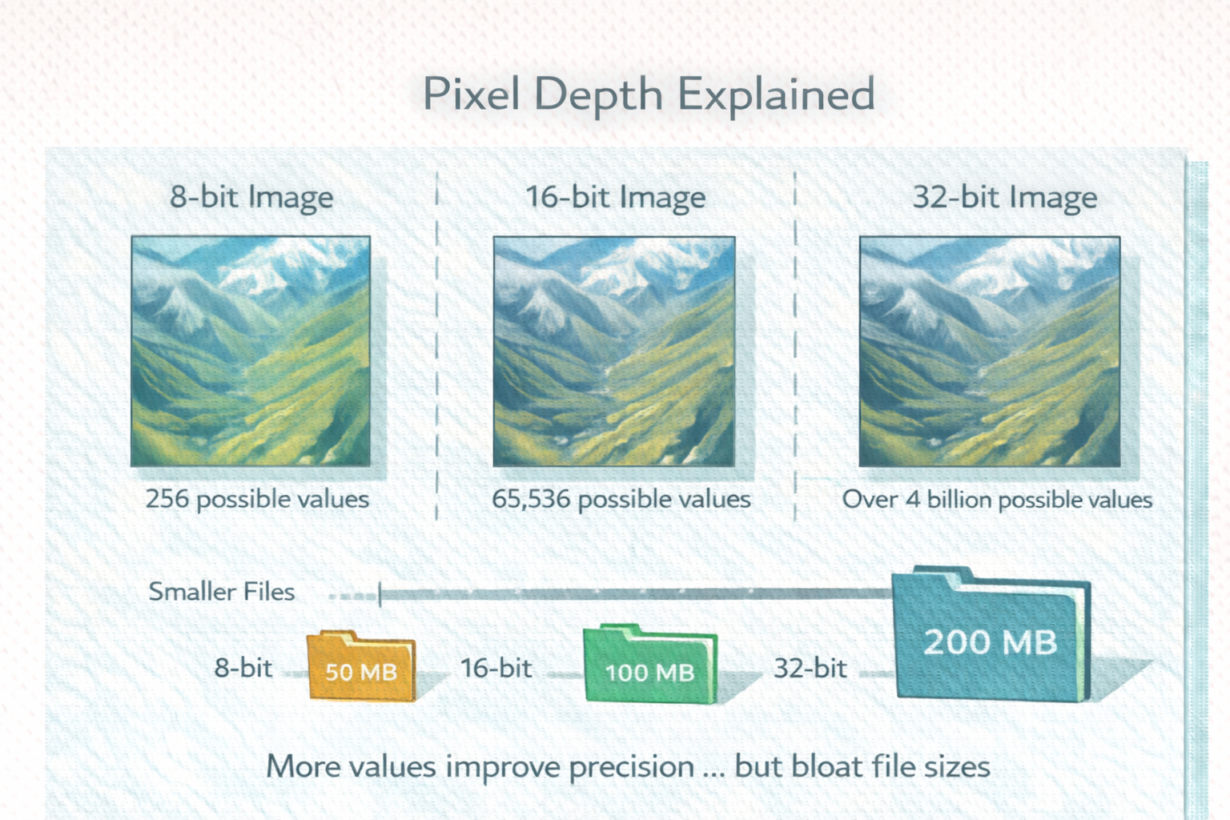
Pixel depth (or bit depth) defines how many discrete values each pixel can store. 8-bit holds 256 values (0-255). 16-bit holds 65,536 values (0-65,535). 32-bit holds billions. More bits mean more precision. Also larger files.
Here’s the trade-off: an 8-bit elevation raster might represent heights 0-2,550 meters with each unit representing 10 meters. You lose fine detail. A 16-bit elevation model can represent 0-6,550 meters with 0.1-meter precision. Much better for analysis. But the file is twice as large.
Satellite imagery typically comes as 8-bit RGB (256 values per band) or 16-bit reflectance data. 8-bit is fine for visualization. But if you’re building a classification model, 16-bit preserves more spectral detail and trains better models.
The mistake: downsampling from 16-bit to 8-bit for “efficiency” before analysis. You permanently lose precision. Compression (GeoTIFF, COG) reduces file size without changing depth—use compression instead.
Conversely, storing an 8-bit classification as 32-bit wastes space without gaining information. Match depth to your data.
The rule: Use the lowest depth that preserves analytical precision, not visual appearance. Elevation and reflectance data should be 16-bit or higher. Classification and visualization can be 8-bit. Never downsample before analysis. Compress instead. Check your raster depth before processing—accidentally working with reduced precision cascades silently through your entire pipeline.
Whenever you’re ready, here are 4 ways I can help you grow in GIS & spatial data:
Spatial Lab – My private community where GIS professionals, data engineers, and analysts connect, swap workflows, and build repeatable systems together.
Modern GIS Accelerator – A guided program to help you break out of legacy GIS habits and learn modern, scalable workflows.
Career Compass – A career-focused program designed to help GIS pros navigate the job market, sharpen their pitch, and find roles beyond traditional GIS paths.
Sponsorship: Interested in sponsoring this newsletter (or other content)? Learn more here and fill out the form to get in touch!