



Most people run dissolve when they should run group-by. Once you dissolve, you can’t get individual features back.
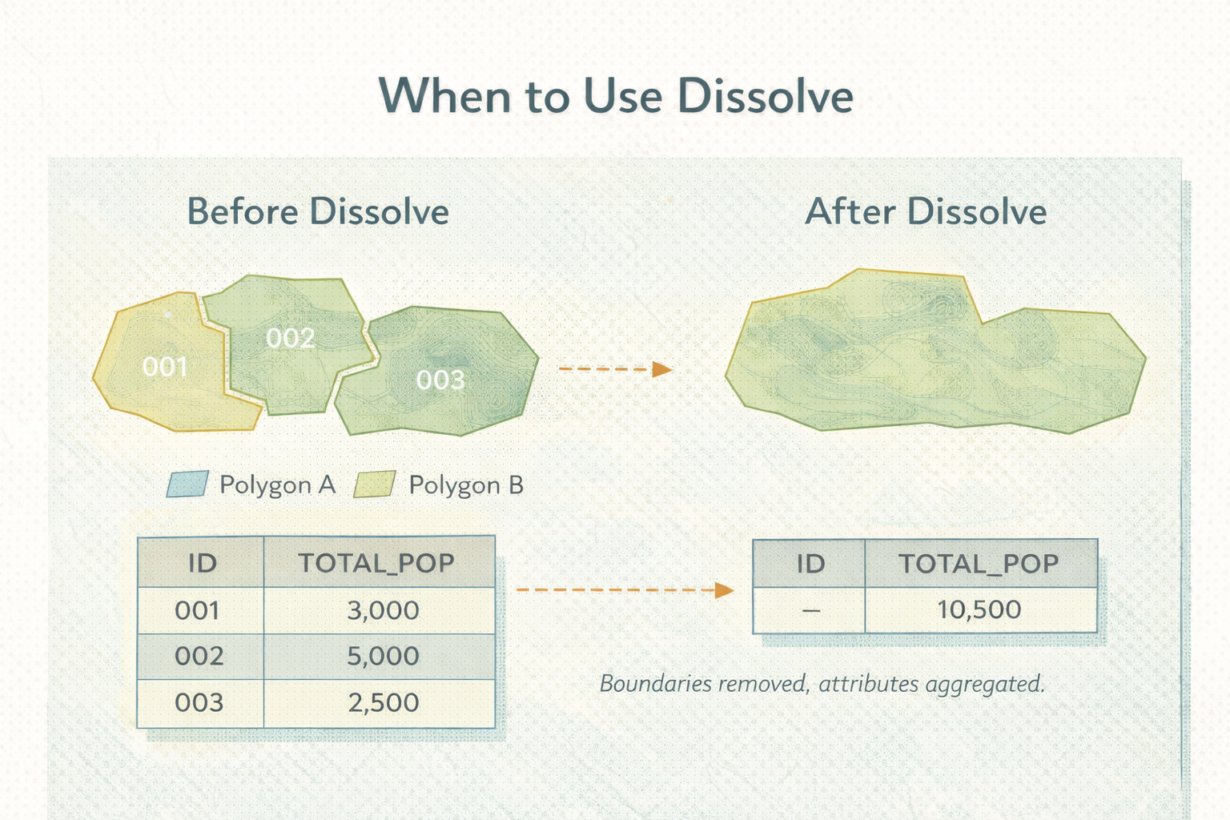
Dissolve merges features that share an attribute value and removes the boundaries between them. Dissolve a parcel layer by owner? All parcels owned by the same person become one feature. Internal boundaries vanish. The result is simpler geometry. That’s the point. But it’s also permanent.
Here’s what dissolve does: it groups features by a column value, combines geometry into new shapes, and aggregates or drops all other attributes. If a dissolved group had 50 different address values, those are gone. You can count them (aggregate to “num_addresses”), but you can’t get them back.
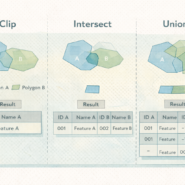
Dissolve is not a spatial operation like clip or intersect. It doesn’t care about overlaps or relationships. It’s grouping and aggregation. Often people confuse it with union. Union combines two layers. Dissolve compresses one layer.
The mistake: running dissolve too early. A parcel analyst dissolves by owner before calculating parcel count, acreage, or median price. Now those calculations include dissolved geometry that doesn’t represent reality. Always do your analysis on individual features first. Dissolve last.
The rule: If you still need individual features for any operation—measurement, counting, filtering, joining—don’t dissolve. Run your analysis. Then dissolve as the final step if you need aggregated output. Never dissolve in the middle of a workflow. Save a pre-dissolve copy. Once it’s gone, it’s gone.
Whenever you’re ready, here are 4 ways I can help you grow in GIS & spatial data:
Spatial Lab – My private community where GIS professionals, data engineers, and analysts connect, swap workflows, and build repeatable systems together.
Modern GIS Accelerator – A guided program to help you break out of legacy GIS habits and learn modern, scalable workflows.
Career Compass – A career-focused program designed to help GIS pros navigate the job market, sharpen their pitch, and find roles beyond traditional GIS paths.
Sponsorship: Interested in sponsoring this newsletter (or other content)? Learn more here and fill out the form to get in touch!