



A spatial join mysteriously matches 80% of features when it should match 100%. The coordinates look fine. The CRS is right. The problem is almost always geometry validity.
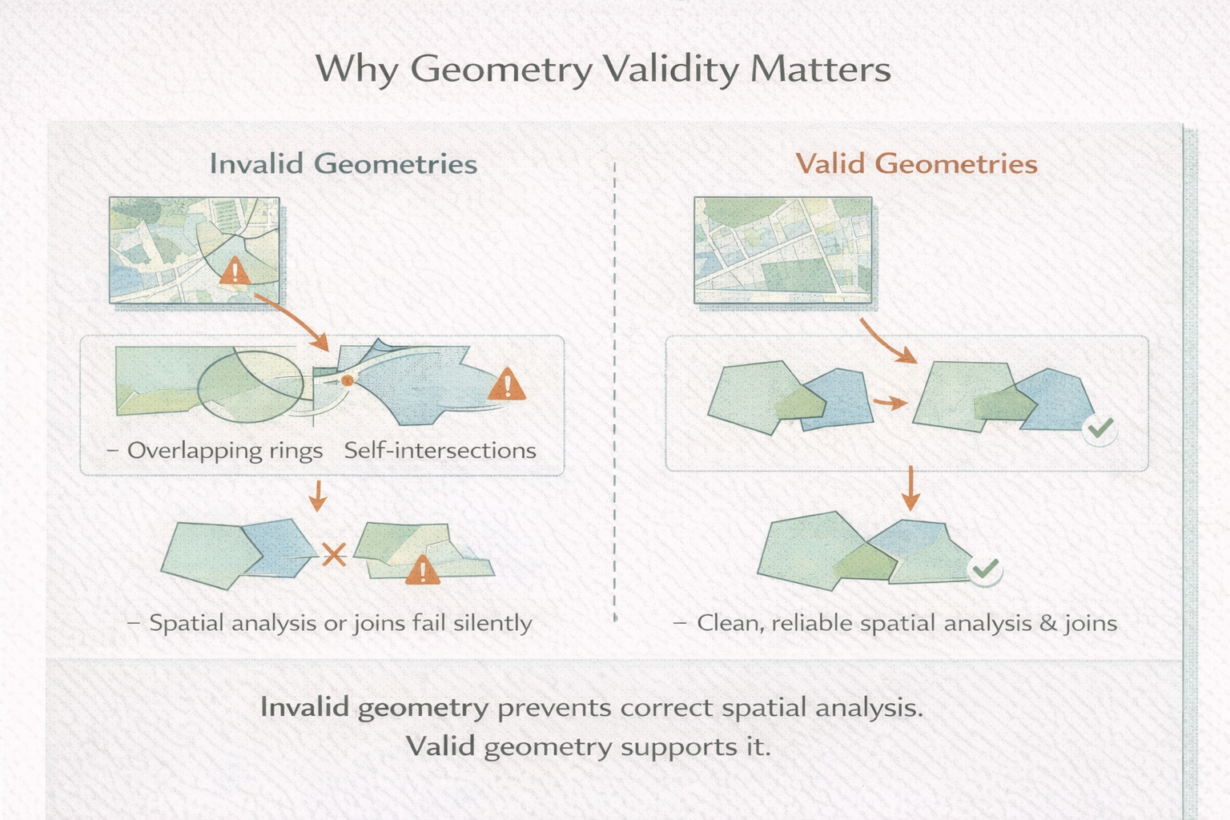
Geometry is valid when it follows rules. For polygons: rings must be closed, holes must be inside, rings must not self-intersect, and exterior and interior rings must not overlap. For lines: endpoints matter, self-intersections usually indicate errors. Invalid geometry looks correct on a map but fails in spatial operations.
Here’s what breaks: spatial joins against invalid polygons sometimes skip features. Unions create garbage slivers. Area calculations include phantom space. The database either returns incomplete results or rejects the operation entirely.
The insidious part: desktop tools visualize invalid geometry fine. ArcGIS might show it without complaint. PostGIS or DuckDB will reject it. This gap is why data that “worked fine in QGIS” fails in production pipelines.
Common issues: slivers from imperfect overlays (tiny gaps where polygons should touch), ring orientation flipped (exterior ring wound backwards), and self-intersections from digitization errors or reprojection precision loss.
Validation belongs early in pipelines. Check geometry validity before complex analysis. Most tools have validators: ST_IsValid() in PostGIS, is_valid in GeoPandas, ST_MakeValid() to repair.
Fixing geometry is intentional. ST_MakeValid() removes self-intersections, fills slivers, corrects ring orientation. But it changes topology—you’re altering the data, not correcting it. Use repairs after validation, document changes, and review results.
The rule: Validate geometry immediately after ingestion. If invalid, repair or re-ingest. Never run complex spatial analysis on invalid data. Most spatial join failures are data problems. Check validity before assuming the query is wrong.
Whenever you’re ready, here are 4 ways I can help you grow in GIS & spatial data:
Spatial Lab – My private community where GIS professionals, data engineers, and analysts connect, swap workflows, and build repeatable systems together.
Modern GIS Accelerator – A guided program to help you break out of legacy GIS habits and learn modern, scalable workflows.
Career Compass – A career-focused program designed to help GIS pros navigate the job market, sharpen their pitch, and find roles beyond traditional GIS paths.
Sponsorship: Interested in sponsoring this newsletter (or other content)? Learn more here and fill out the form to get in touch!