



Resampling a raster “just to align it” with another layer, then analyzing it as if it’s original data, is how you introduce systematic error into pipelines.
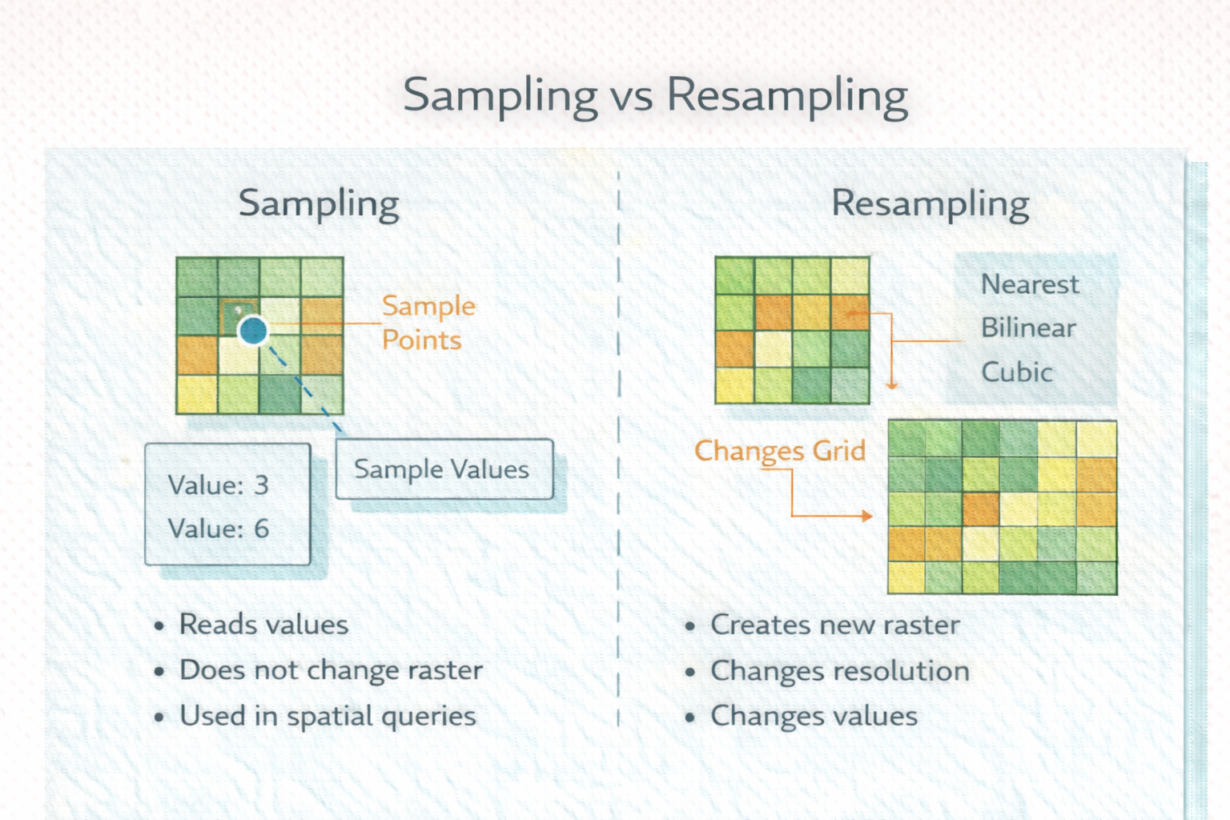
Sampling reads values from existing raster cells without changing the underlying grid. Extract elevation at a point location—you’re sampling. Calculate average temperature in a zone—you’re sampling. Sampling never modifies the source raster. You can sample infinitely without data loss.
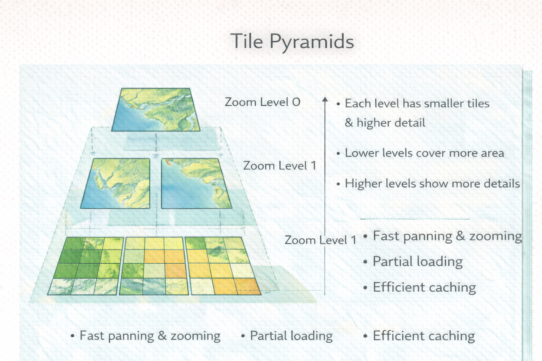
Resampling creates an entirely new raster with a different grid—different pixel size, alignment, or both. When you reproject a raster or change its resolution, you’re resampling. The database has to interpolate values at new cell centers. This changes values. Always.
Common resampling methods include nearest neighbor (fast, preserves values but creates blocky edges), bilinear (smoother), and cubic (smoothest but slowest). Which you choose depends on data type. Use nearest neighbor for categorical data (land use). Use bilinear or cubic for continuous data (elevation, temperature).
The mistake: resampling once for alignment, then resampling again downstream for different resolution. Each resample introduces interpolation error. Chain three resampling operations, and your data is substantially altered from the original.
Sampling has no cost. Resampling has a cost—precision loss through interpolation.
The rule: Sample as much as you want. Resample only when absolutely necessary—once, early, before analysis. Choose the resampling method appropriate to your data type. Document every resample. Never resample the same raster twice. If you need data at multiple resolutions, start from the original each time.
Whenever you’re ready, here are 4 ways I can help you grow in GIS & spatial data:
Spatial Lab – My private community where GIS professionals, data engineers, and analysts connect, swap workflows, and build repeatable systems together.
Modern GIS Accelerator – A guided program to help you break out of legacy GIS habits and learn modern, scalable workflows.
Career Compass – A career-focused program designed to help GIS pros navigate the job market, sharpen their pitch, and find roles beyond traditional GIS paths.
Sponsorship: Interested in sponsoring this newsletter (or other content)? Learn more here and fill out the form to get in touch!